
Your Tables. Your Menu. Your Orders. Connected with TableHub.
TableHub by NasaDigitech empowers restaurants, cafes, and hospitality venues with table-specific QR ordering, real-time Google Sheets menu management, and a centralised kitchen dashboard. Give your guests a modern, app-free dining experience while keeping your floor team organised.
Still Managing Every Order Manually?
Traditional paper menus and handwritten notes create unnecessary friction for both guests and floor staff during peak service.
Customers Waiting for Menus
During rush hours, hungry diners sit unattended while servers scramble to deliver physical laminated menus across tables.
Staff Overloaded with Repeat Trips
Waiters spend substantial time running back and forth noting repeat orders and custom requests instead of focusing on hospitality and fast delivery.
Confusion About Table Numbers
Handwritten order slips frequently lead to table mix-ups, wrong dish drops, and kitchen communication friction.
Manual Menu Updates & Reprints
Whenever a dish price changes or an ingredient runs out, updating physical menus requires costly, time-consuming reprints.
Difficulty Tracking Incoming Orders
Managing orders on loose paper tickets makes tracking order statuses (Preparing, Ready, Served) cumbersome and error-prone.
Delays in Kitchen Communication
The time gap between taking an order on the floor and walking it back to the kitchen creates avoidable preparation bottlenecks.
Meet TableHub – The Operating System for Modern Dining Rooms
TableHub connects your restaurant tables to a digital menu and a centralised order management system. Customers scan a QR code, browse your menu and place their orders. Your restaurant team receives the order with the relevant table details.
The screenshots and interfaces shown across this page demonstrate TableHub running live at our showcase venue, Lunar Cafe, showcasing the exact customer-facing and kitchen-management modules tailored for your restaurant.
Zero App Download Friction
Customers open your digital menu directly inside Safari, Chrome, or any mobile browser in less than a second.
Table-Linked Accuracy
Orders automatically attach to the scanned dining table (e.g. Table T05), eliminating table confusion for good.
Centralised Team Oversight
Your floor and kitchen managers view, confirm, and update order statuses in real time from a centralized dashboard.
From Table Scan to Order Notification
A seamless, intuitive dining journey designed to minimize ordering friction and keep your service fast and organized.
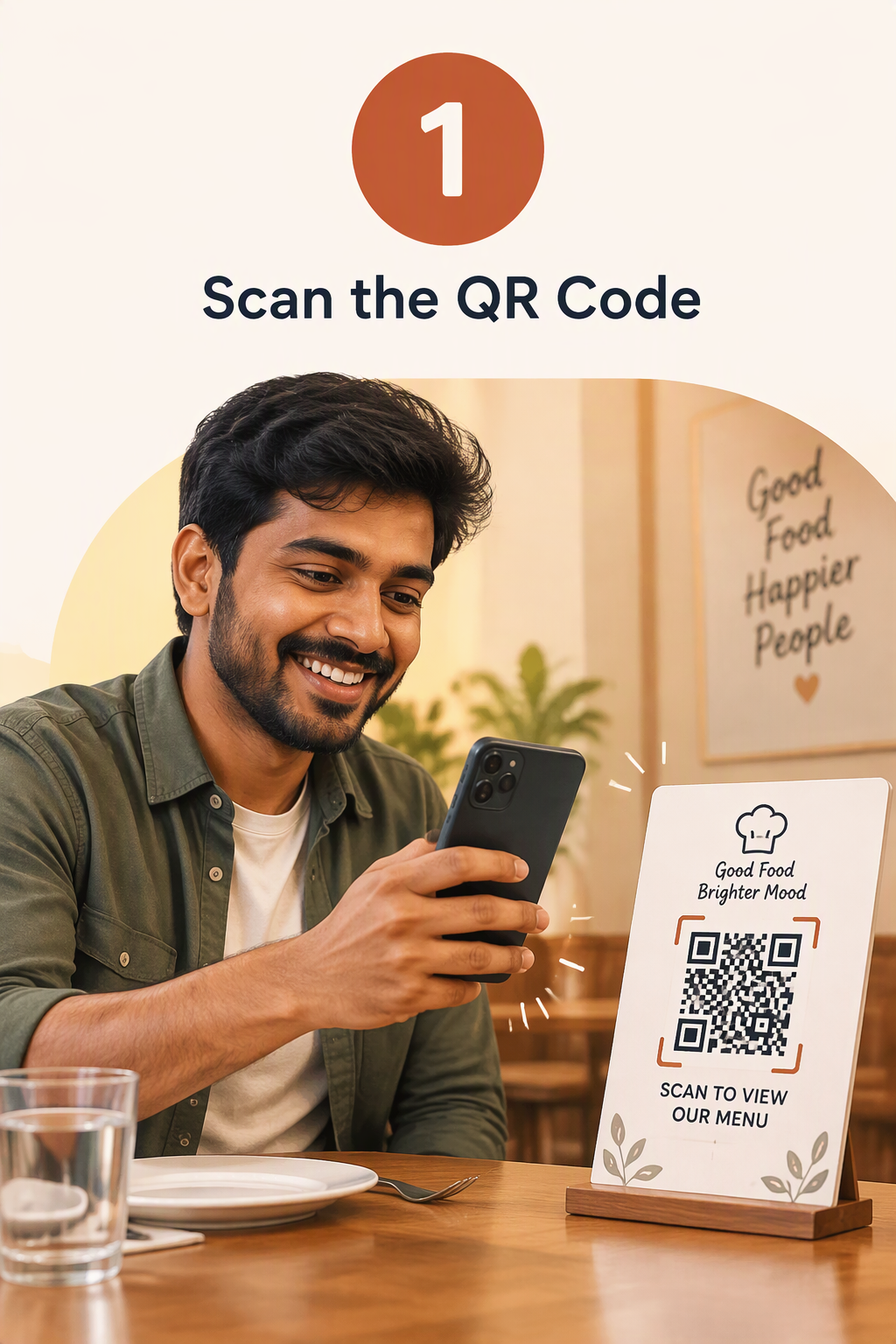
Each Table Has Its Own Unique QR Code
Each restaurant table has its own unique QR code. Customers scan the code using their mobile phone.
- Opens instantly with no native application download required
- Automatically binds the session to the specific table (e.g. Table T05)
- Friendly prompt to select table if visited without a parameter
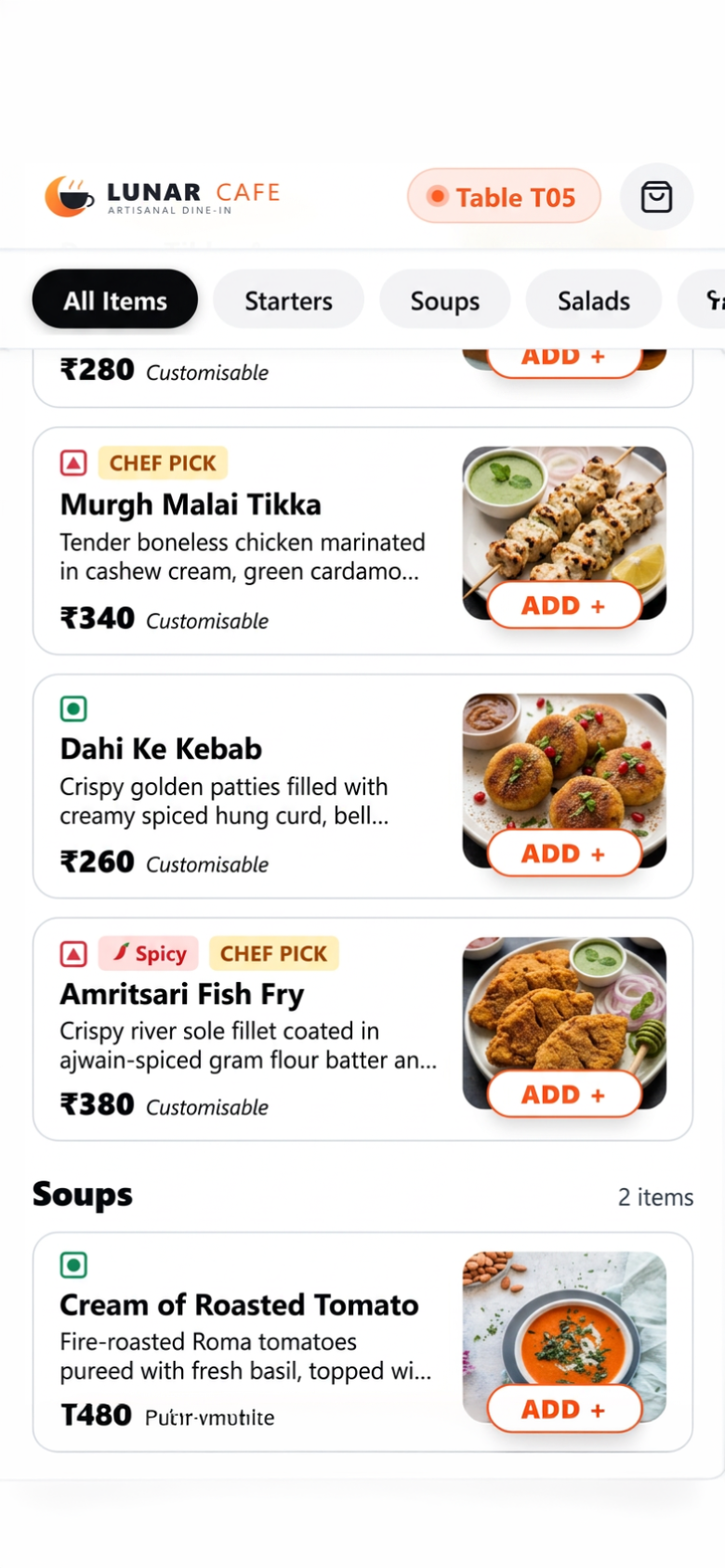
Explore Food Categories, Details & Prices
Customers explore food categories, view item details, check prices and select what they want.
- Smooth horizontal category rail: Starters, Mains, Biryani, Beverages, Desserts
- Dietary indicator badges (Veg, Non-Veg, Egg, Vegan) and spicy chili tags
- Item customisation modal for spice levels (Mild, Medium, Extra Spicy) and add-ons
- Instant search across all food items and categories
Review Cart & Select Payment Option
Customers review their cart, select an available payment method and submit their order.
- Itemized cart drawer with quantity stepper
[- 1 +]and GST breakdown - Direct UPI payment: Direct UPI payment through supported apps such as Google Pay and Paytm via merchant QR presentation and staff verification mode
- Cash payment: Cash payment, according to the restaurant's configuration (Pay at Counter or Pay After Meal)
Instant Table & Item Notification
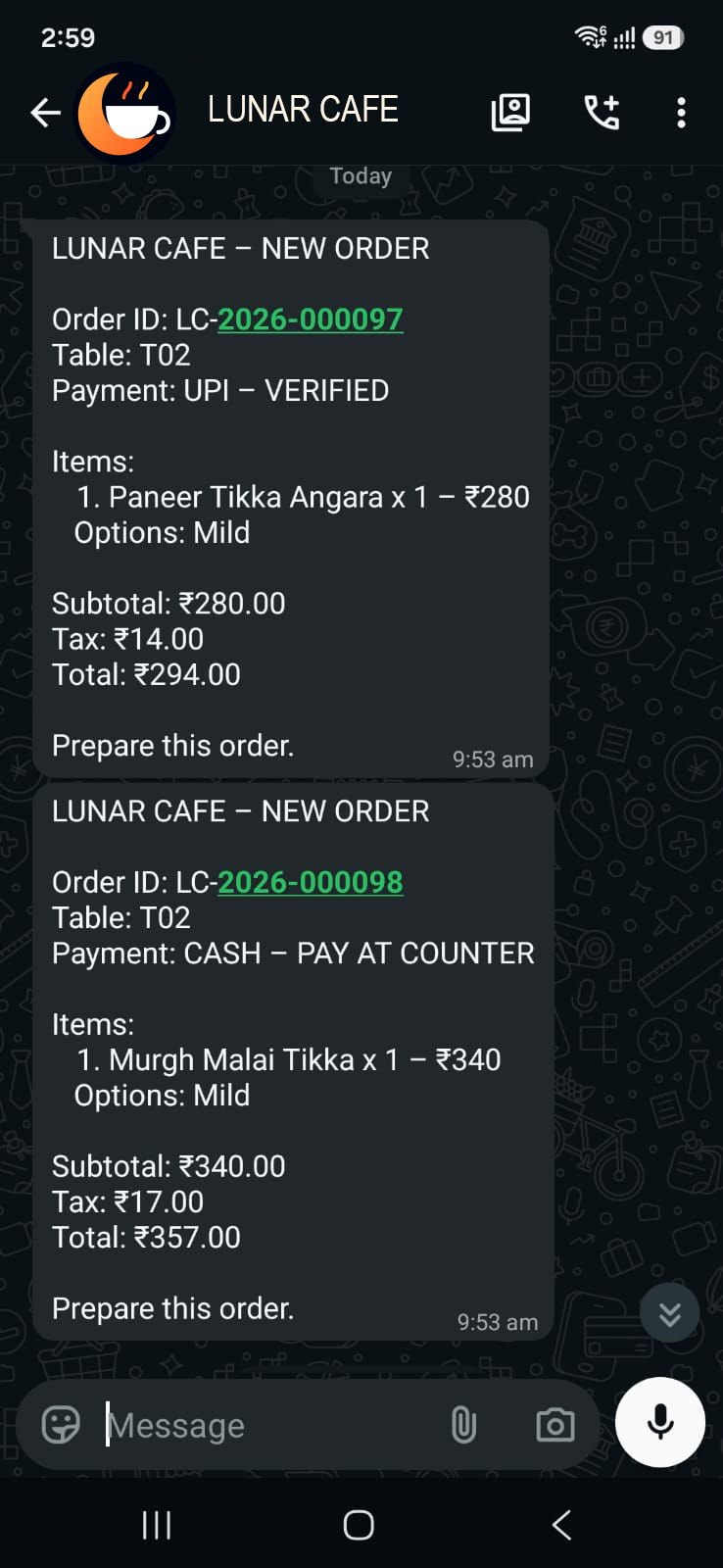
The restaurant team receives the order with the table number, selected items and relevant order details.
- Live order appears immediately on the centralized TableHub dashboard
- Automatic Kitchen WhatsApp notification dispatch with itemized receipt details
- Generates a distinct tracking code (e.g.
LC-2026-000108) for easy order identification
A Better Ordering Experience for Your Customers
Explore the actual screens your diners interact with on their smartphones. Fast, beautiful, and completely app-free.
No Need to Wait for a Physical Menu
Customers scan their table QR code and land straight on your branded digital menu. Their table number is confirmed at the top, ready for smooth ordering.
- ✓ Clean restaurant branding with logo and customizable welcome banner
- ✓ Prominent table badge (e.g. Table T05) clearly visible to the customer
- ✓ Instant search bar to quickly find dishes by name or category
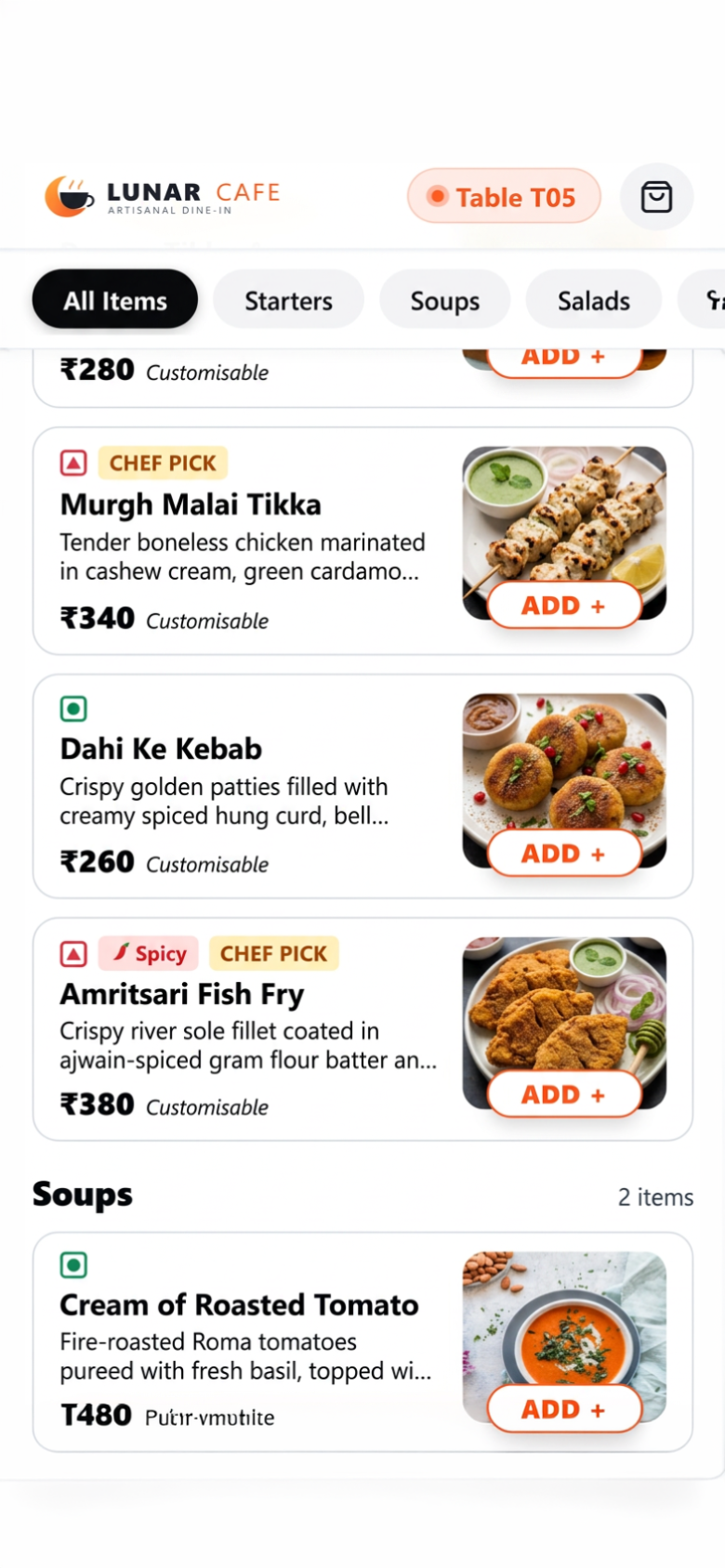
Browse the Menu Conveniently on a Phone
Diners comfortably scroll through food categories, view appetizing dish photos, check INR prices, and filter by dietary preference.
- ✓ Horizontally scrollable category pills (Starters, Mains, Biryani, Desserts)
- ✓ Quick filter chips: Pure Veg, Non-Veg, and Spicy dishes
- ✓ Clear dietary dots and chef's special recommendation badges
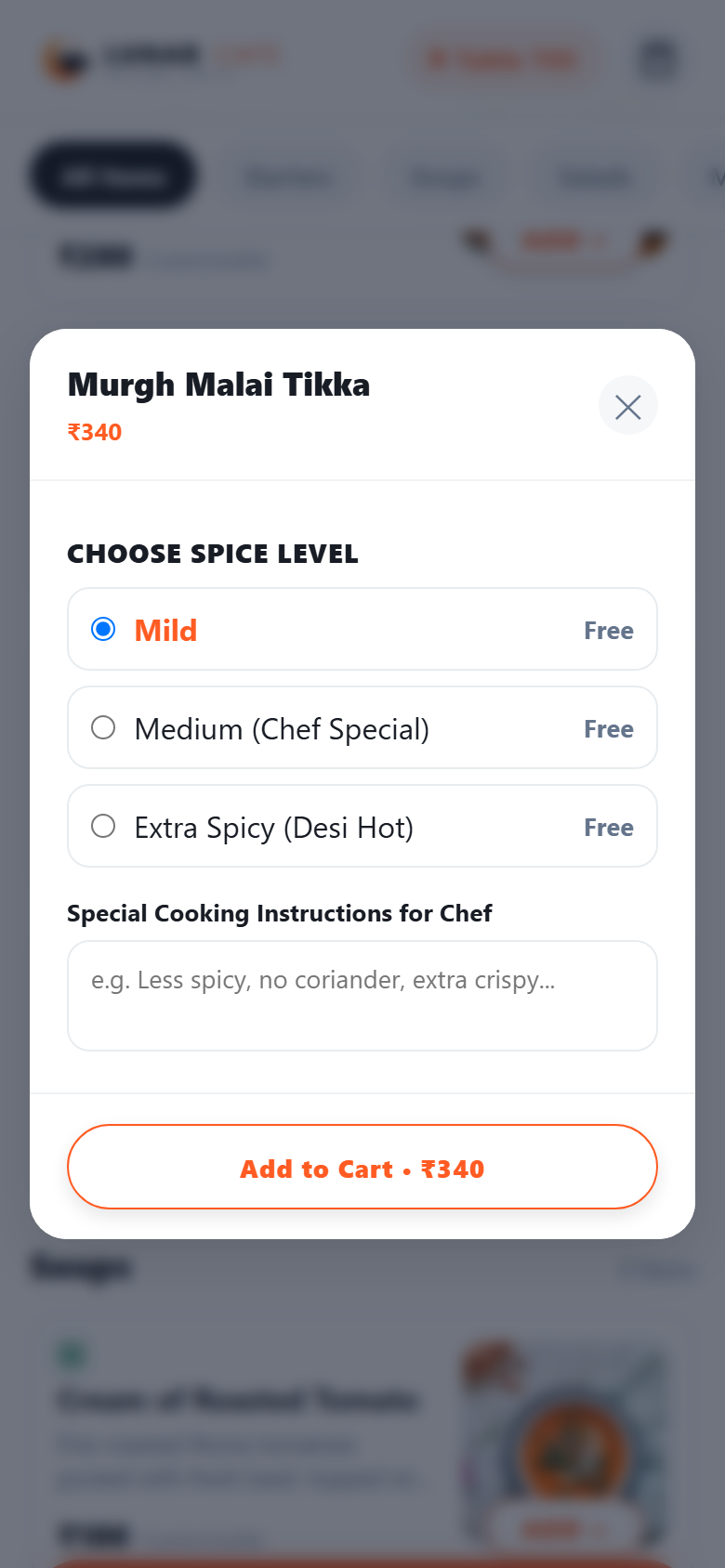
View Food Descriptions and Prices
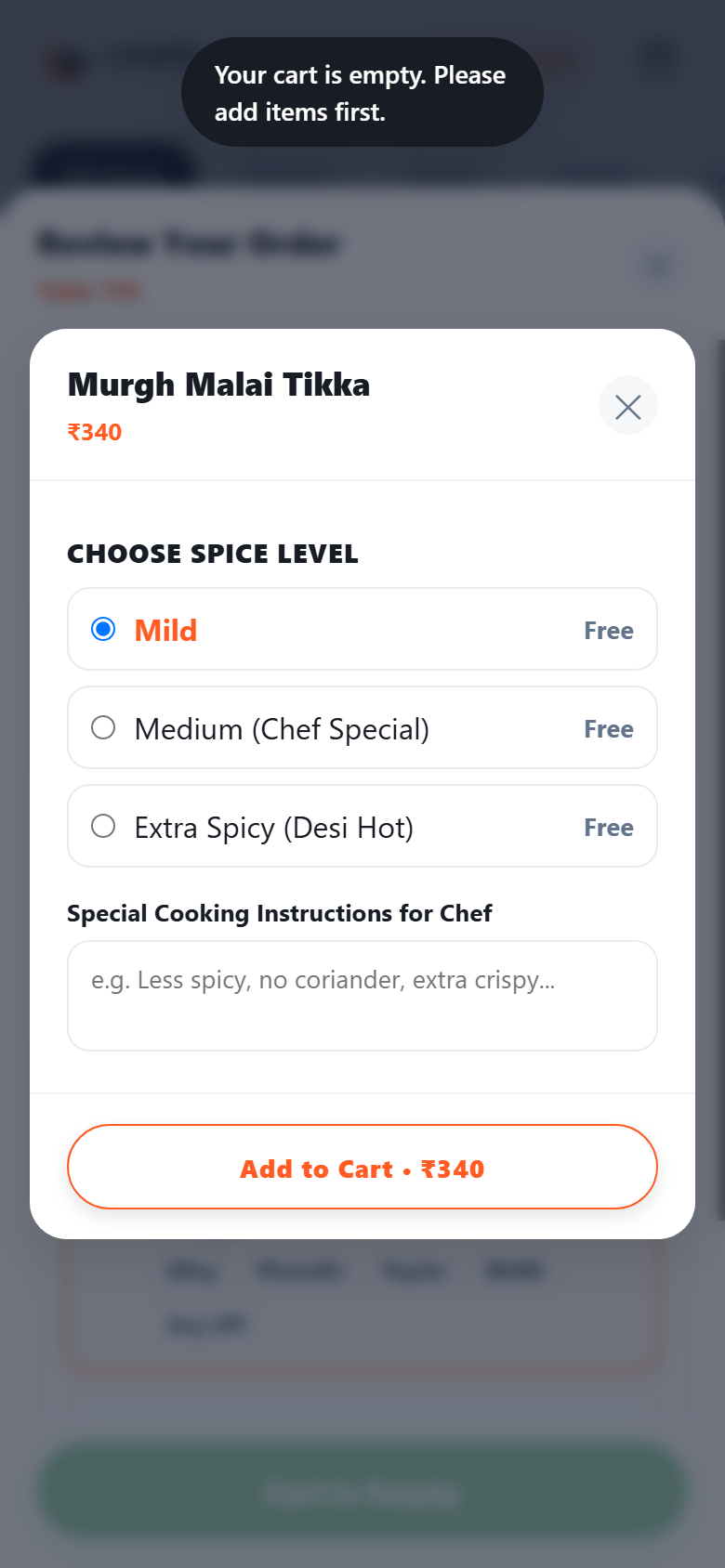
Guests can tap any dish to view detailed descriptions, select their preferred spice level, choose optional add-ons, and add custom cooking notes.
- ✓ Spice selection radio buttons: Mild, Medium, Extra Spicy
- ✓ Add-on checkboxes with transparent additional pricing (e.g. Extra Cheese, Raita)
- ✓ Special cooking instructions text area (e.g., "Less spicy, extra crispy")
Select Quantities and Add Items to the Cart
Adding a dish transforms the button into a responsive quantity stepper [- 1 +]. A sticky bottom cart bar updates instantly with total items and bill amount.
- ✓ Fast one-tap item increment and decrement
- ✓ Sticky bottom summary bar showing item count and total bill in real time
- ✓ Seamless cart persistence during browsing across categories
Cart Showing Selected Items and Quantities
A smooth slide-up drawer provides a complete itemized bill breakdown, showing selected dishes, cooking notes, table badge, and calculated tax.
- ✓ Itemized review with quantity adjusters directly inside the drawer
- ✓ Clear bill computation: Item Subtotal + GST (5%) + Total to Pay
- ✓ Prominent table badge ensuring orders are never dispatched to the wrong seat
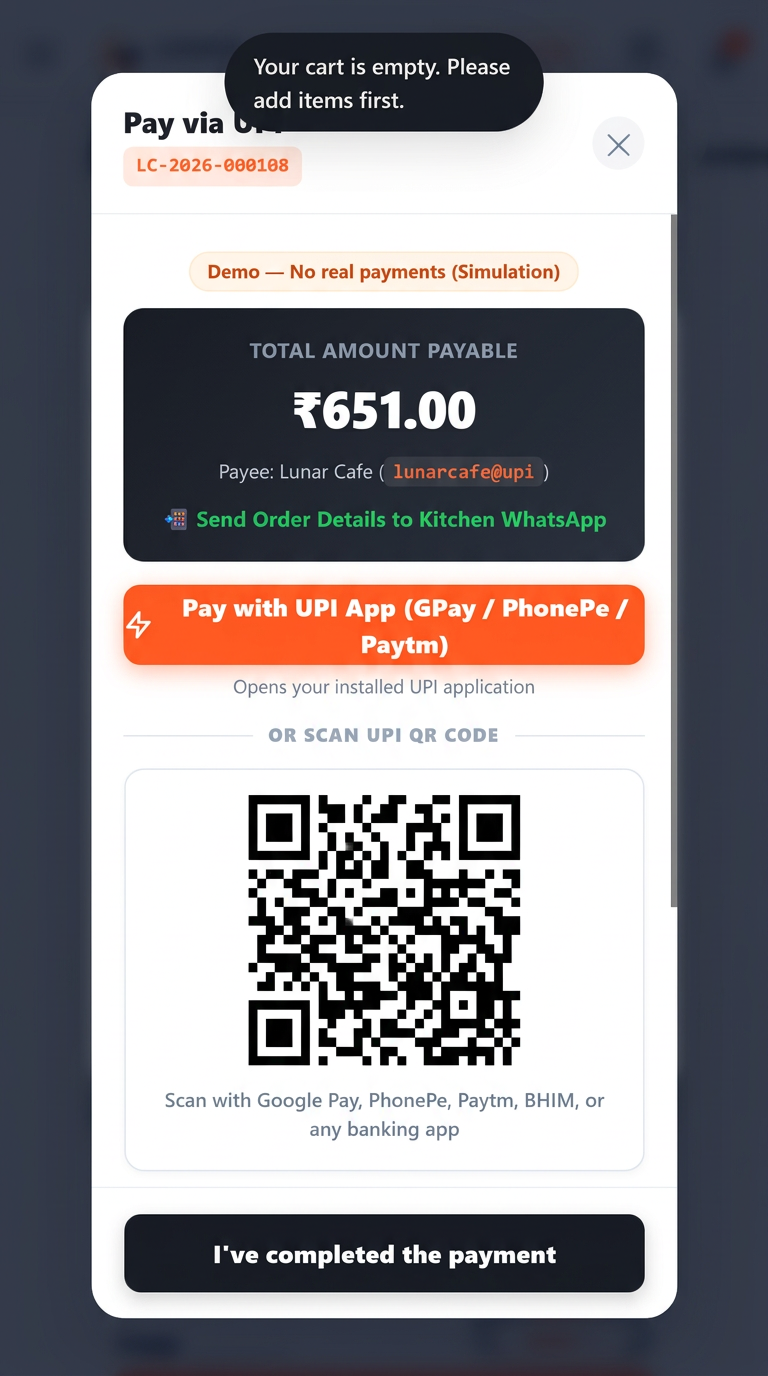
Choose from the Available Payment Methods
Diners select their preferred payment method configured by the restaurant, including direct UPI apps or cash options.
- ✓ Direct UPI: Dynamic QR code supporting Google Pay, Paytm, and PhonePe
- ✓ Cash Payment: Pay at Counter or Pay After Meal as per restaurant policy
- ✓ Transparent simulated verification flow for staff oversight
Submit Orders Directly from the Table
Once submitted, an instant confirmation screen generates an official order code (e.g. LC-2026-000108) with an option to dispatch directly to the kitchen WhatsApp.
- ✓ Unique order tracking reference code for easy kitchen tracking
- ✓ Direct click-to-chat kitchen WhatsApp handoff with pre-formatted bill
- ✓ Reassurance modal reminding diners their food is being prepared
More Control for Your Restaurant Team
A unified management portal designed specifically for floor managers, cashiers, and kitchen supervisors. Available on desktop and mobile.
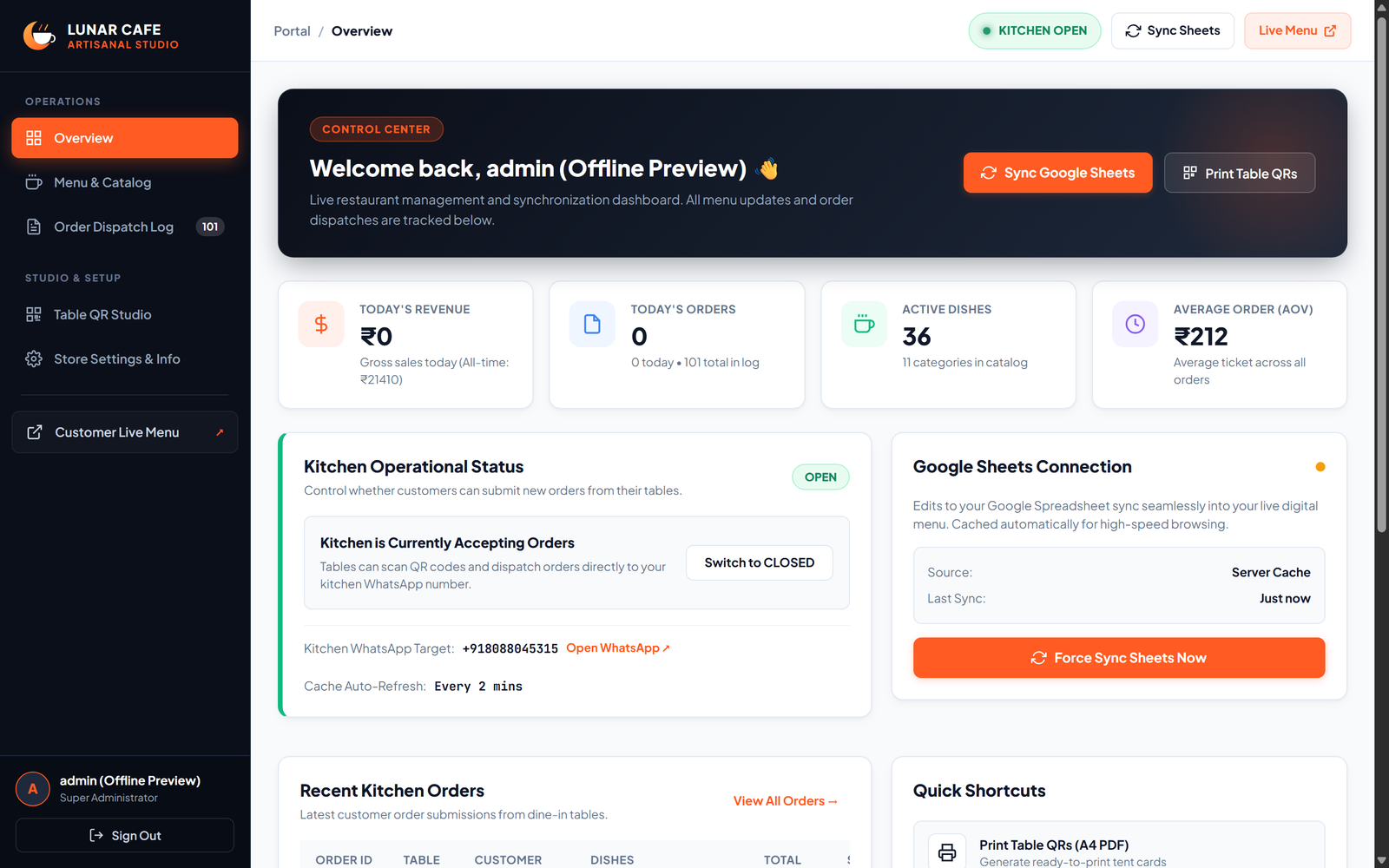
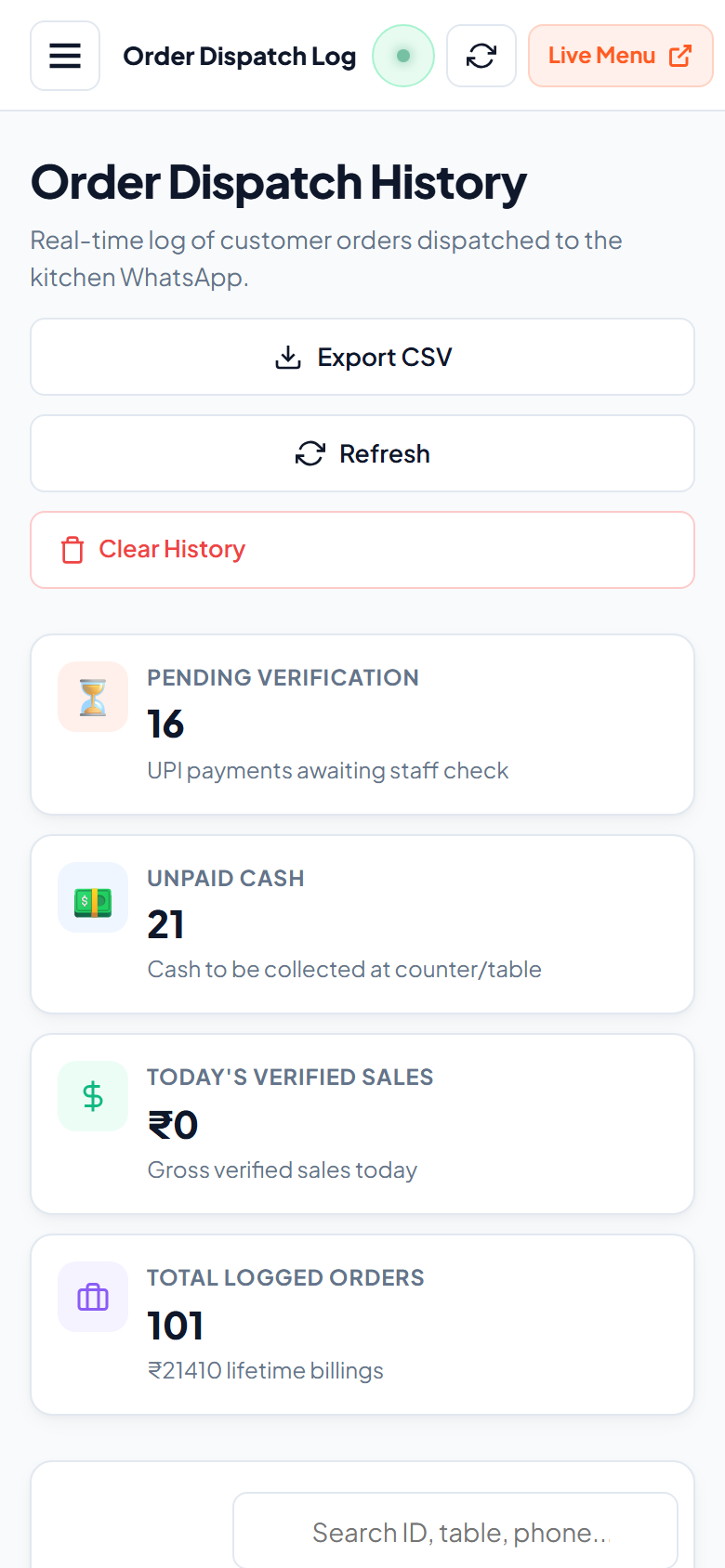
Incoming Orders
View customer orders and their associated table numbers in real time with audio cues and live status badges.
Order Details
See ordered food items, quantities and relevant information in a clean printable ticket modal.
Order Management
Manage order activity using the actual available status controls: Pending, Confirmed, Preparing, Ready, Served, and Cancelled.
Accepting Orders
Control when your restaurant is accepting orders. When ordering is paused, customers are not encouraged to submit new orders.
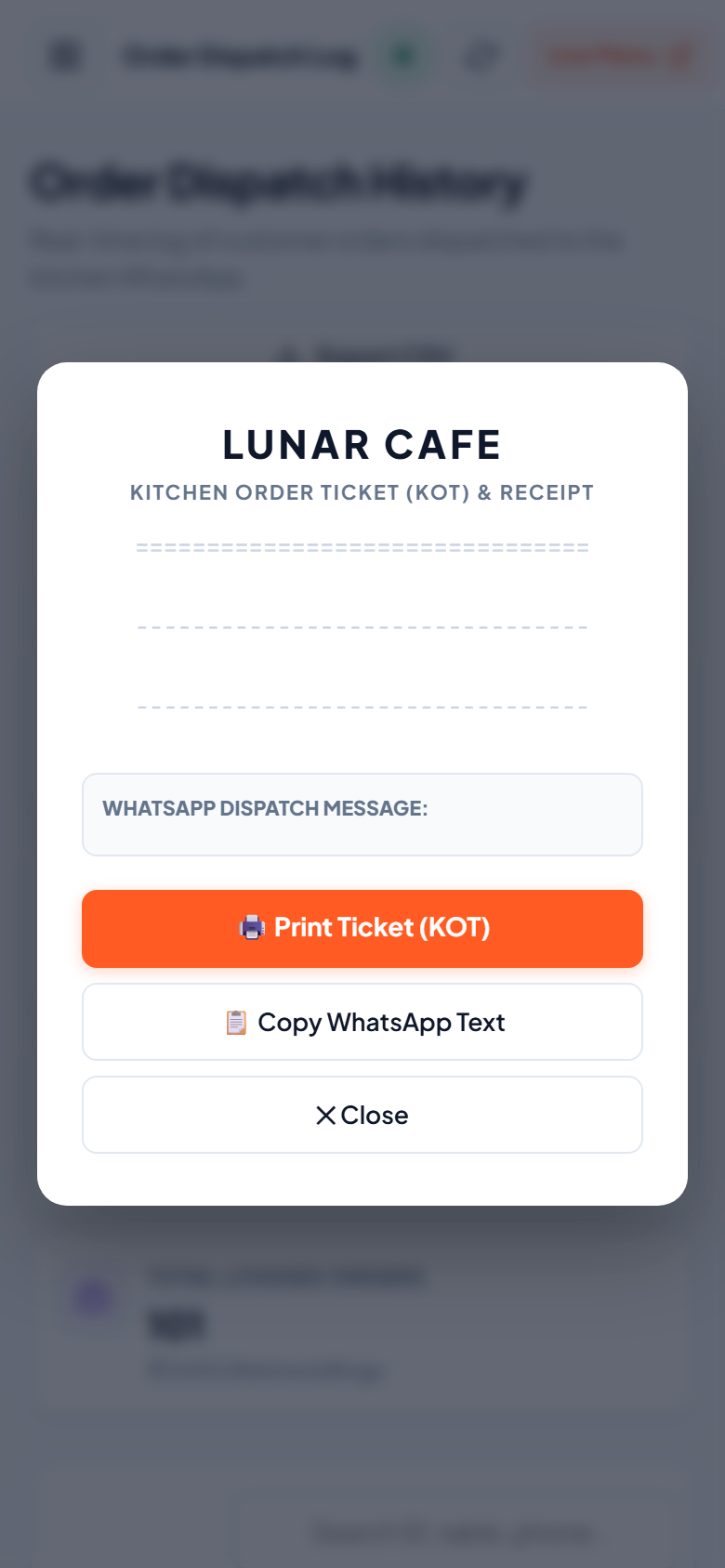
Itemized KOT / Order Details
See ordered food items, quantities, custom notes, and verify payments.
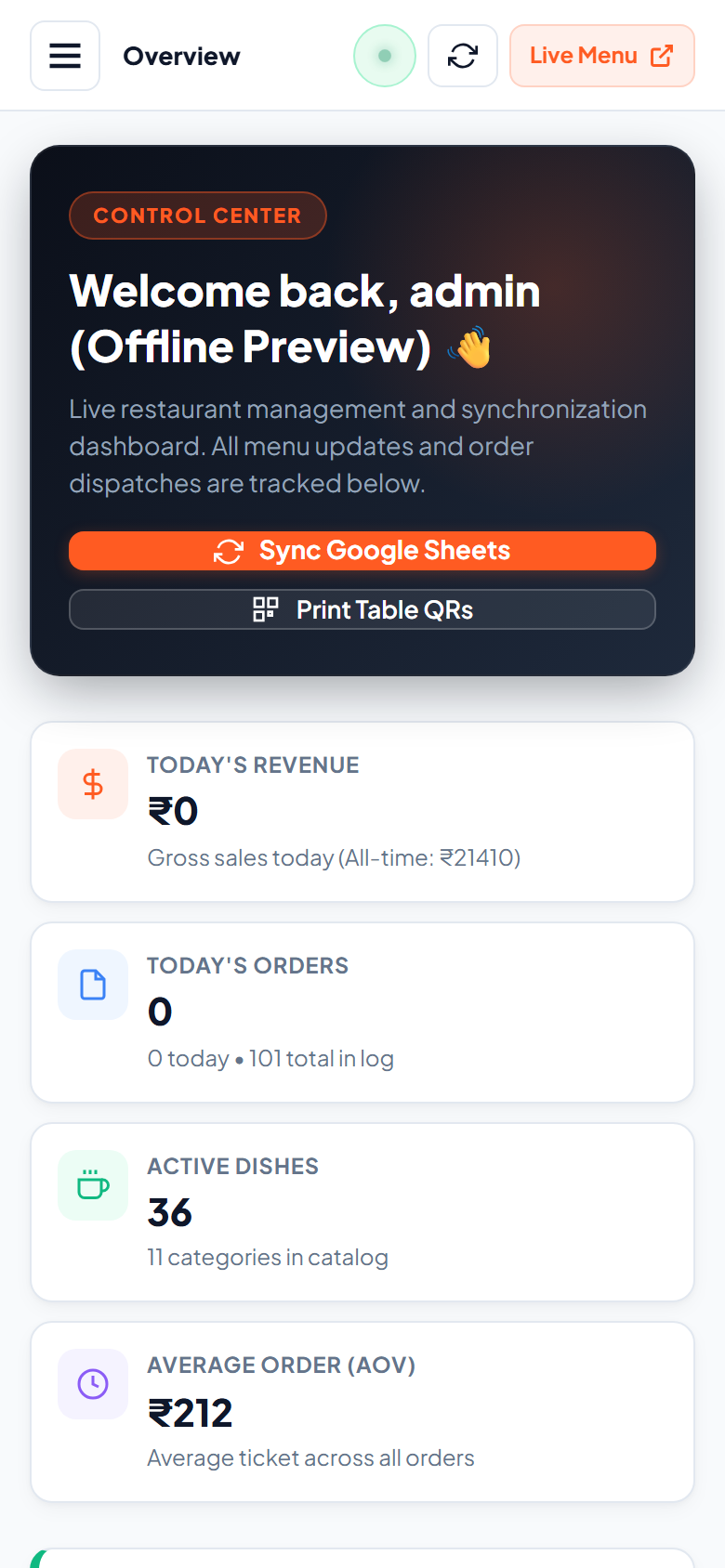
Accepting-Orders Control
Control when your restaurant is accepting orders with an instant toggle.
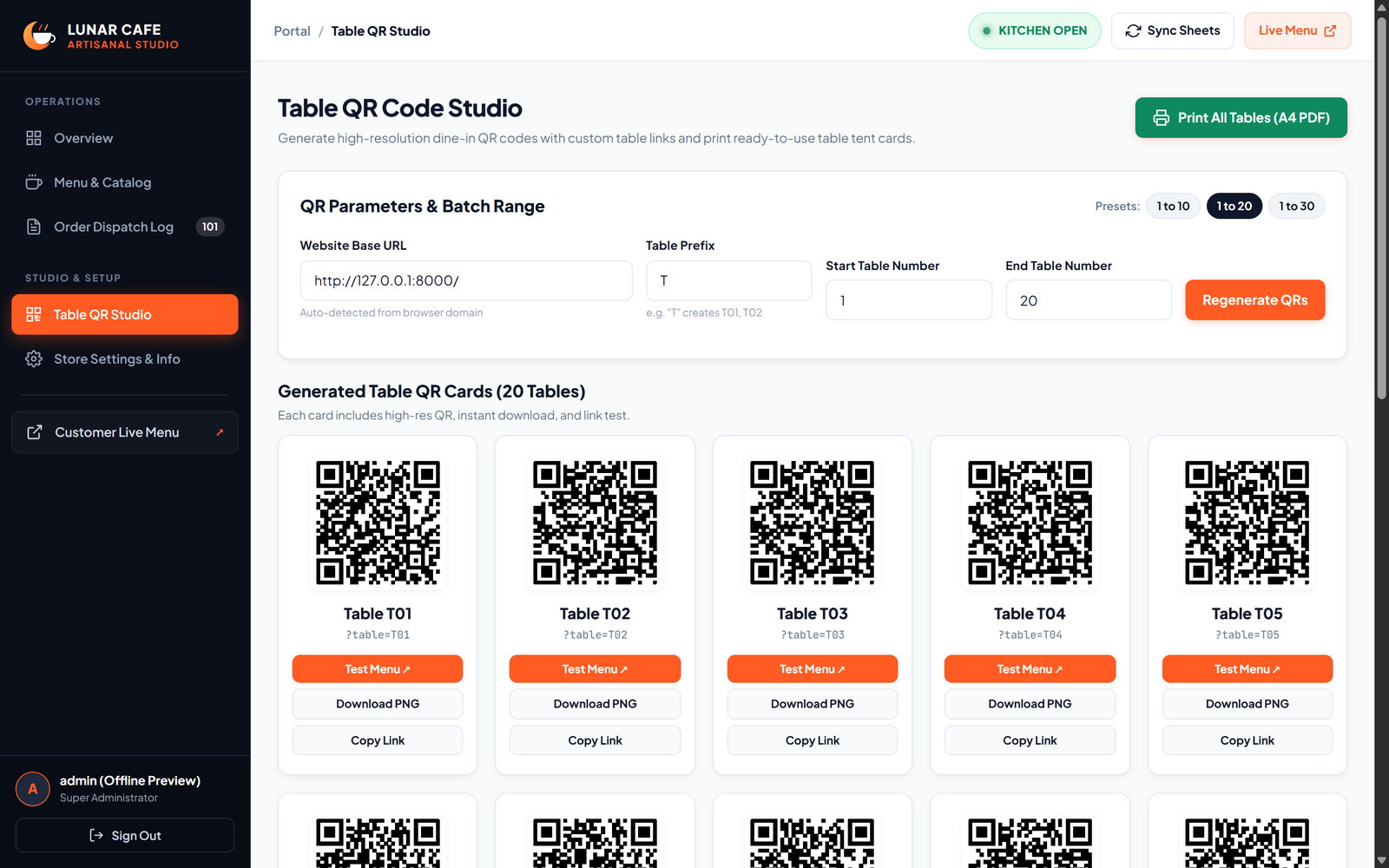
Bulk Table QR Studio
Generate table QR codes (T01–T20) and print A4 table tent cards.
Update Your Menu Without Editing Your Website
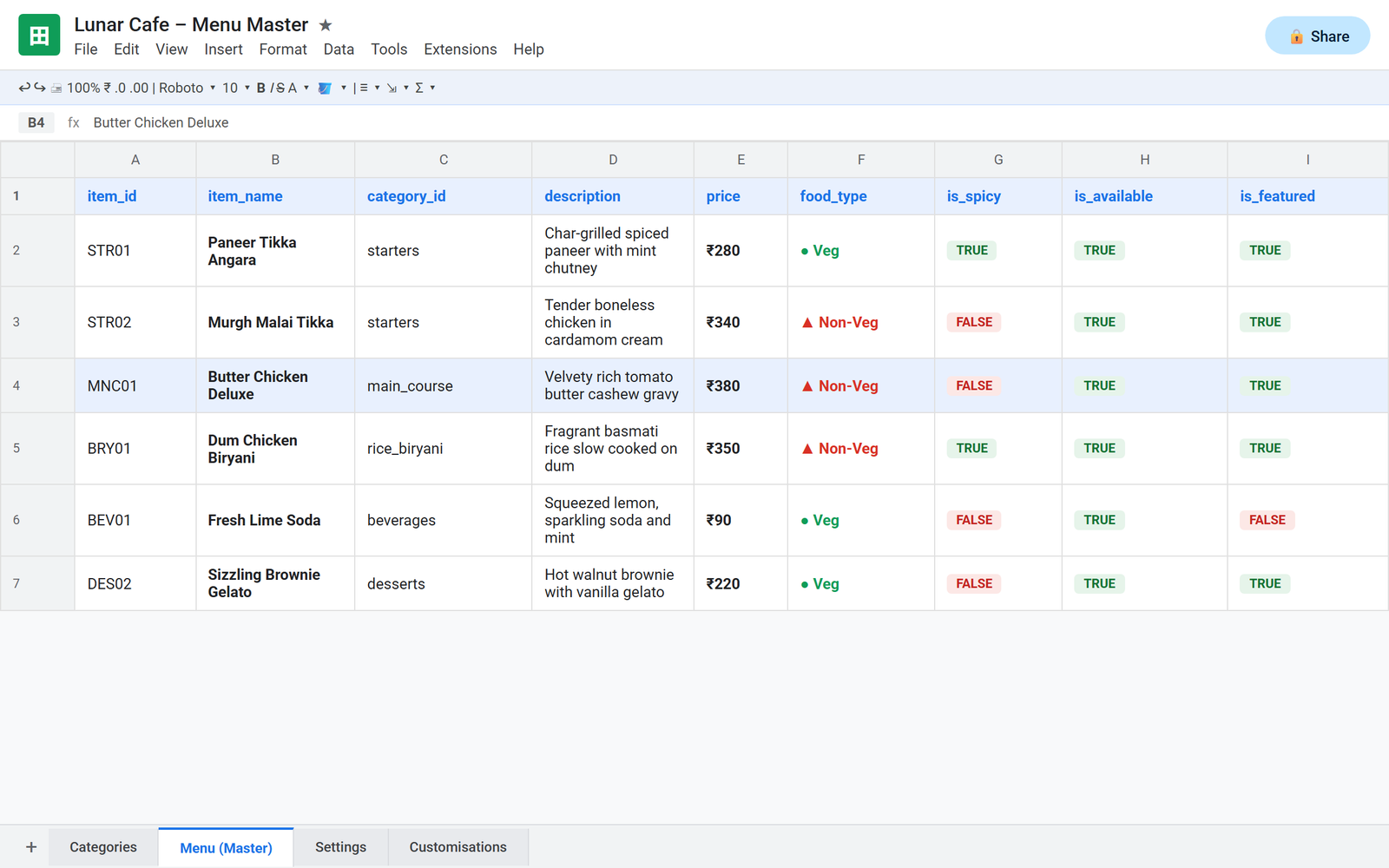
Lunar Cafe connects your digital menu to Google Sheets. Update your menu information in the spreadsheet and the changes can be reflected on your digital menu.
✏️ Edit in Seconds
Authorised restaurant staff can update supported menu information through the spreadsheet from any computer or phone.
⚡ Mark Items Sold Out
Toggle is_available to FALSE in the spreadsheet to immediately reflect sold-out items on the digital menu.
🚀 High-Performance Caching
High-performance server caching ensures instant page loads for diners while preserving Google API limits.
Suitable for Different Food Businesses
Whether you operate a cozy cafe, a bustling dine-in restaurant, or a high-volume food court outlet, TableHub adapts to your service flow.
Cafes & Coffee Shops
Allow customers to scan their table, explore artisanal roasts and pastries, and order at their own pace without crowding the counter.
Dine-In & Counter Pick-UpRestaurants
Streamline rush hour service by letting diners order appetizers and drinks right away, freeing waiters to provide high-touch hospitality.
Multi-Course Dine-InQuick-Service Restaurants
Eliminate long ordering queues during lunch peaks by offering direct table-top ordering with fast UPI and counter payment.
High Table TurnoverFood Courts
Enable shared dining patrons to browse vendor menus, order directly from their seats, and pick up when prepared.
Shared Dining SpacesCasual Dining Outlets
Deliver a modern, contactless dining experience with appetizing imagery, spice-level options, and automated kitchen tickets.
Visual Menu EngagementSmall and Independent Eateries
Get enterprise-grade digital ordering without complex POS hardware costs or expensive monthly app fees.
Affordable & LeanSimple for Customers. Practical for Restaurant Teams.
Engineered to deliver real-world operational efficiency without cumbersome IT maintenance or complex third-party lock-in.
Table-Specific QR Ordering
Each table features a unique QR code. Scans instantly identify the dining table and persist table identity throughout browsing.
Digital Menu on Mobile Phones
Digital menu accessible from mobile phones. Diners don't have to download an app from an app store or create an account.
Google Sheets Menu Management
Update dish names, descriptions, prices, categories, and stock availability directly from a simple Google Spreadsheet.
Table-Linked Order Information
Every submitted order includes the exact table reference, eliminating misplaced orders and confusion between tables.
Centralised Order Visibility
Your team monitors orders in real time with comprehensive status workflows (Pending, Confirmed, Preparing, Ready, Served).
Configurable Payment Options
Offer direct UPI payments (Google Pay, Paytm, PhonePe) with verification workflows, or cash payments (Counter / After Meal).
Control Over Accepting New Orders
Control when your restaurant is accepting orders. When ordering is paused, customers are not encouraged to submit new orders.
Built-In Table QR Tent Printer
Generate, customize, and print ready-to-fold A4 table tent cards directly from the admin studio ready for your dining tables.
Server-Side Price Validation
All calculations, taxes, and totals are verified strictly on the server, ensuring tamper-proof billing accuracy.
Ready to Make Restaurant Ordering Simpler?
Let NasaDigitech help you bring a convenient digital ordering experience to your restaurant.